.svg)
.svg)


.jpg)
The real success of a VoIP rollout for law firms depends on five everyday office factors, not just the provider’s features. Overlooking any one of them can create compliance or trust issues later.
A dropped call during a filing deadline, a voicemail no one secured, a client detail overheard on a shared line—these are the moments that cost law firms money and trust, not the choice of provider. VoIP for law firms promises flexibility and savings, but the real test isn't the sales pitch.
It's what happens inside the office once the system goes live.
A smooth transition depends on more than picking the right VoIP provider, since one overlooked detail can turn a routine upgrade into a compliance headache or a client-trust problem. That's because VoIP systems route calls over the internet rather than copper wires, which means office setup and daily routines carry more weight than most people expect.
For practices in Northern Virginia or nearby areas, the stakes climb higher still, given strict client confidentiality rules and workflow demands specific to legal work. The rest of this article walks through the five ordinary conditions that quietly decide whether a VoIP rollout holds up or falls short.

Why internet redundancy is the first line of defense
Every VoIP phone system depends on a stable internet connection, so when that connection drops, calls drop with it. That single fact is why internet redundancy—a backup internet line standing ready—matters more than most law offices realize.
A single outage can disrupt a client meeting, a court call, or an urgent filing, and even a few minutes offline can mean a missed deadline or a client's confidence shaken. For a legal practice, that risk reaches past inconvenience into reputation and the expectations clients hold non-negotiable.
Fortunately, redundancy doesn't require a complex fix: a second broadband line or a cellular failover device is often enough, provided the phones keep working when the main connection fails. The need is sharper still in regions like Northern Virginia, where weather or nearby construction can knock out service without warning.
Before migrating, it's worth asking: if the primary internet fails, how does the team keep working? Building redundancy in now heads off the bigger problem later.
The hidden impact of call recording rules on legal practice
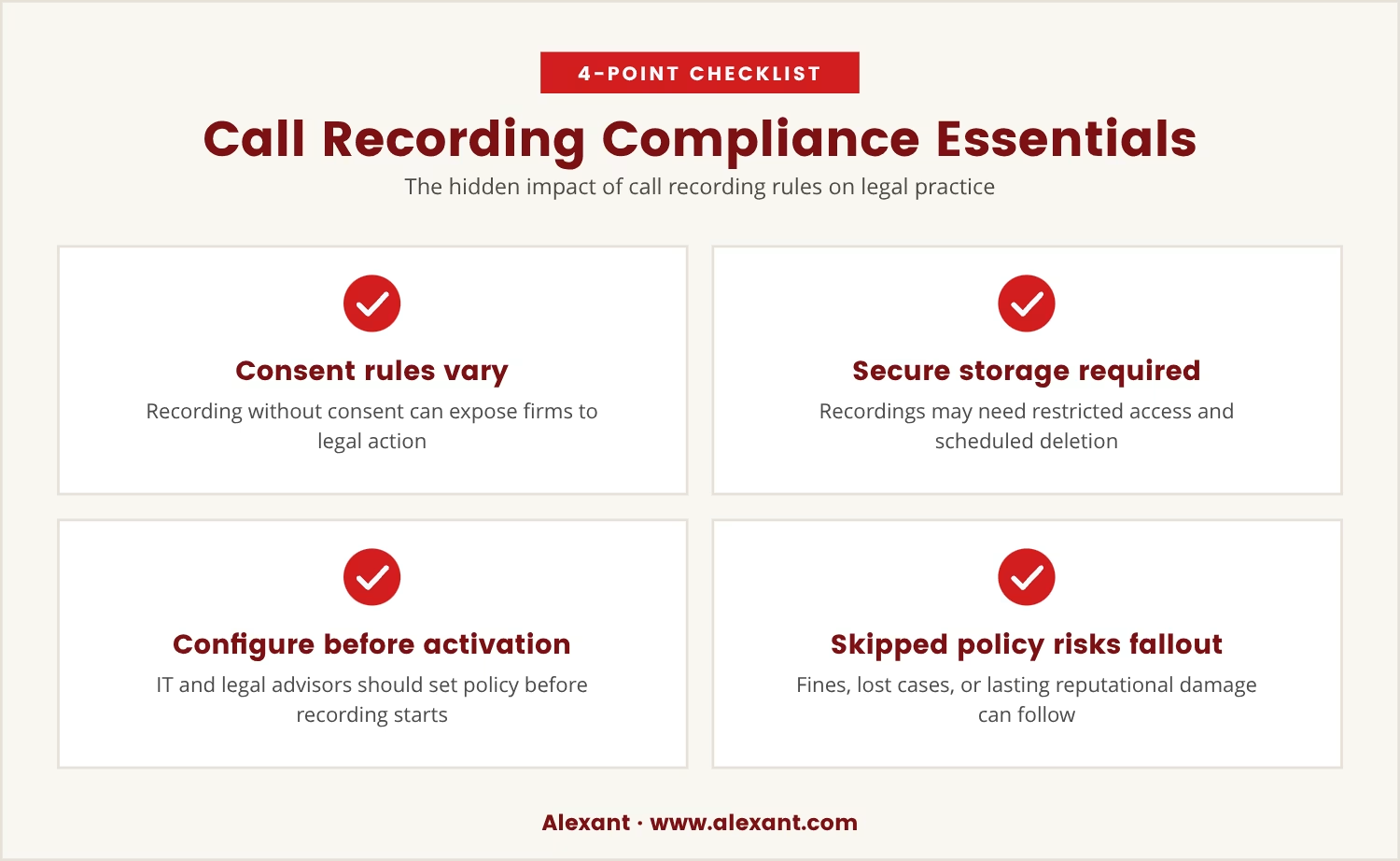
Call recording ranks among the most popular VoIP features, yet law firms answer to strict rules about when and how a call may be recorded. Those rules exist to protect client confidentiality and to keep the firm within state and federal law.
Record a call without consent in some cases, and the firm opens itself to legal action; even where recording is permitted, the recordings may need secure storage, restricted access, and scheduled deletion. So the feature's popularity doesn't excuse a firm from the compliance work behind it.
VoIP solutions built for law firms often include call recording, but the feature only serves the firm once it's configured to match its compliance needs—which means sitting down with IT and legal advisors to set clear policy before any recording tool gets switched on.
Skip that step, and the firm risks fines, lost cases, or reputational damage that outlasts any single call. Getting the policy right at the outset is far easier than untangling a compliance failure afterward.
VoIP for law firms: Five ordinary office conditions that make or break your rollout
Rolling out a hosted VoIP system in a law office was never just a matter of technology. Five everyday conditions inside the practice quietly decide whether the migration succeeds or opens new risk, and each one earns attention before the move forward.
Internet redundancy
Without a backup connection, the phones are only as dependable as the main line, and even a brief outage can stall the whole operation.
Call recording rules
Legal practices answer to strict guidelines on when and how calls get recorded, and a system left unconfigured for compliance invites legal trouble.
Reception coverage
A law firm VoIP phone system has to support the way the front desk actually handles calls; when the reception team can't transfer, hold, or route with ease, client service suffers for it.
Remote attorney access
Attorneys work from court, from home, and from client sites more often than from a fixed desk, so the VoIP system has to let them reach calls and messages securely from any of those places.
Client confidentiality on shared lines
Shared phones or extensions put sensitive client information within reach of the wrong person unless VoIP features are configured to keep confidential details private even when a line serves several staff.
Reception coverage: The overlooked workflow that shapes client experience
Reception is the first point of contact for most law firms, so when a new phone system doesn't match how that team already works, clients notice immediately.
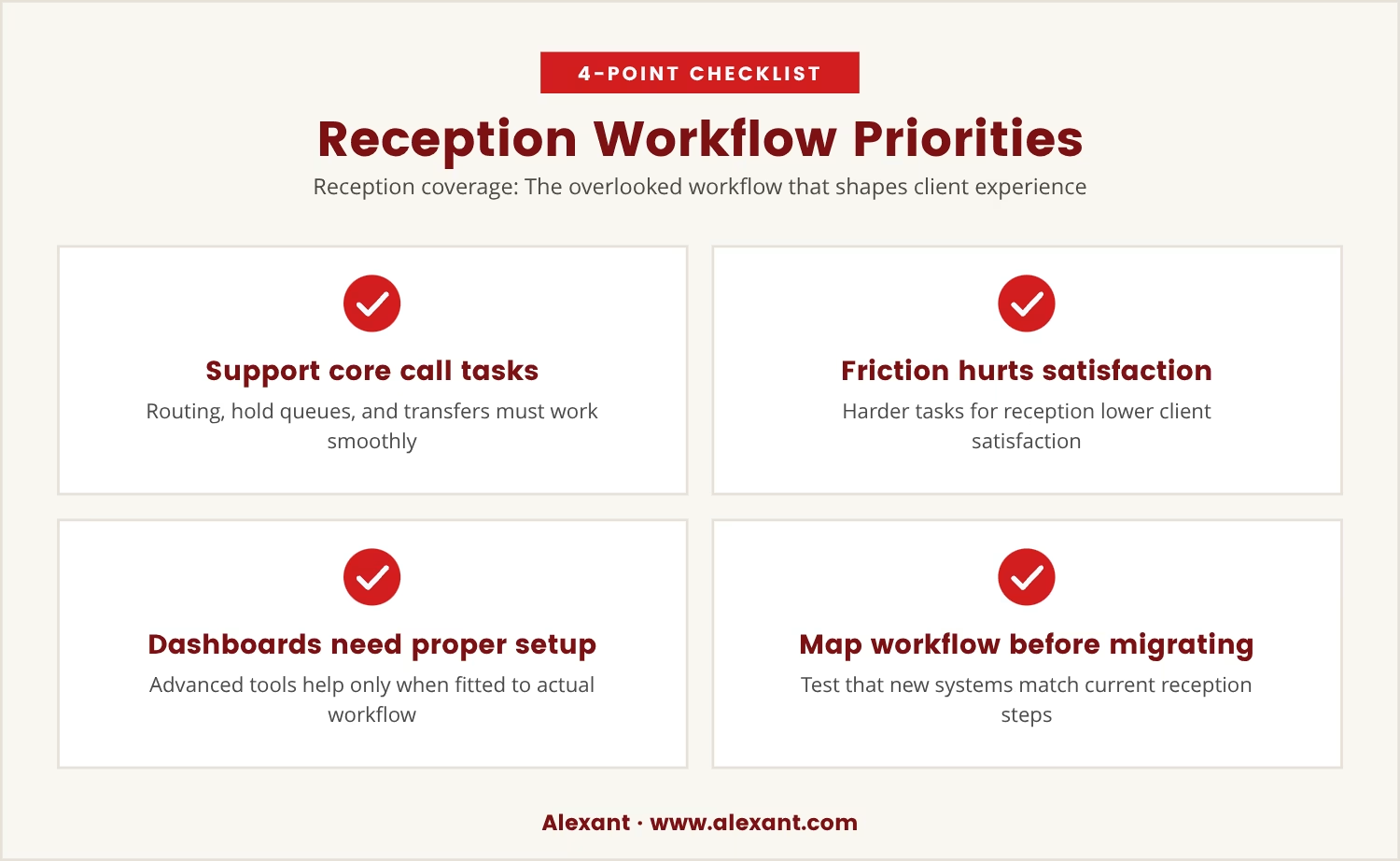
A hosted VoIP setup for law firms needs to support call routing, hold queues, and easy transfers, since receptionists must see who's available, juggle multiple calls, and route clients to the right person without delay. Make those tasks harder instead of easier, and client satisfaction drops accordingly.
Some VoIP providers offer advanced dashboards or integration with practice management software, and these tools can genuinely help a receptionist manage call volume—but only once they're configured to fit the workflow that's actually in use, not a generic one.
That's why it pays to map out how reception handles calls today before migrating, then test whether the new system supports those same steps without added friction. Small mismatches in workflow tend to become large frustrations for staff and clients alike.
Remote attorney access: Supporting flexible work without sacrificing security
Lawyers rarely spend a full day at one desk; court dates, client meetings, and remote work fill the ordinary week. A VoIP phone system has to support that movement without exposing sensitive information along the way.
Modern VoIP solutions let attorneys make and receive calls from a laptop, a phone, or a tablet, and features like voicemail-to-email and secure mobile apps keep them reachable wherever they land. Yet none of that helps unless the setup treats security and privacy as part of the design, not an afterthought.
Remote access, for instance, should require strong passwords and run over encrypted connections, and if attorneys are permitted to use personal devices, those devices need to meet the firm's security standards. Skip that step, and the door opens to leaked client information or a cyber threat the firm never saw coming.
Convenience and security can coexist, but only with planning behind them. Reviewing remote work policy alongside the VoIP setup, from day one, is what makes that balance hold.
Protecting client confidentiality on shared lines and extensions
Law offices often share phones or extensions among staff, a habit that saves money but carries its own risk to client confidentiality: when several people use the same line, a sensitive voicemail or call log can end up seen by the wrong person.
VoIP integration addresses this through private voicemail boxes, secure call logs, and user-specific access controls, and while setting these up takes extra effort, that effort is what protects client trust in practice, not just on paper.
Where shared lines are already in use, the next step is working with IT to review how calls and messages are stored and accessed, confirming that only authorized staff can hear or see client information. It's a step easy to overlook, yet critical to meeting legal and ethical obligations.
What happens if you skip one of these five conditions?
Missing even one of these five ordinary conditions can turn a straightforward VoIP migration into a serious problem—compliance violations, eroded client trust, or workflow breakdowns that cost both time and money.
Law firms in Northern Virginia and beyond need to look past provider promises toward their own office realities, since the right phone system for small law practices is the one that fits daily routines, protects client data, and keeps the team connected no matter where or how they work.

How Alexant helps law offices avoid common VoIP pitfalls
At Alexant, we know that law firms with 1 to 80 users—especially those in the 15 to 70 user range—face unique challenges when moving to VoIP. Overlooking just one office detail can lead to compliance headaches or workflow problems.
If you want to see how we approach VoIP rollouts for legal practices, or want to talk through your current setup, our team is ready to help you make the right call.
Ready to test your VoIP setup risk-free?
Try our VoIP solution for 90 days with no upfront or implementation fees, and get a full refund if you’re not satisfied—no risk for qualified law firms.
Frequently asked questions
How can a law firm VoIP phone system reduce missed calls?
A VoIP phone system can route incoming calls to multiple devices or team members, making it less likely that a call goes unanswered. Features like call forwarding, simultaneous ring, and voicemail-to-email ensure that important client calls get through even when staff is away from their desks.
What should I look for in VoIP features for a legal practice?
Look for features that support compliance, client confidentiality, and flexible work: secure call recording with consent, private voicemail boxes, call routing, and integration with legal practice management tools. Together, these let a team work efficiently while staying within legal requirements.
How does a VoIP provider handle porting existing numbers?
Most VoIP providers can port an existing phone number to the new system, so clients keep dialing the number they already know. The process typically takes a few days and requires account details from the current carrier, and planning helps avoid interruptions during the switch.
Is video conferencing included with most VoIP solutions?
Many VoIP solutions now include video conferencing as a standard feature, letting a team hold virtual meetings with clients or colleagues from the same platform used for calls. That pairing makes communication more convenient and less fragmented.
Can VoIP integration help with call center operations in a law office?
Yes, VoIP integration can streamline call center operations through call queues, real-time analytics, and centralized management. These tools help a law office handle high call volumes efficiently while holding client service to a consistent standard.